CUEPRINT
Cue-sheet exporter for grandMA3 & MA2 v1.2.0 — changelog ↗

CUEPRINT

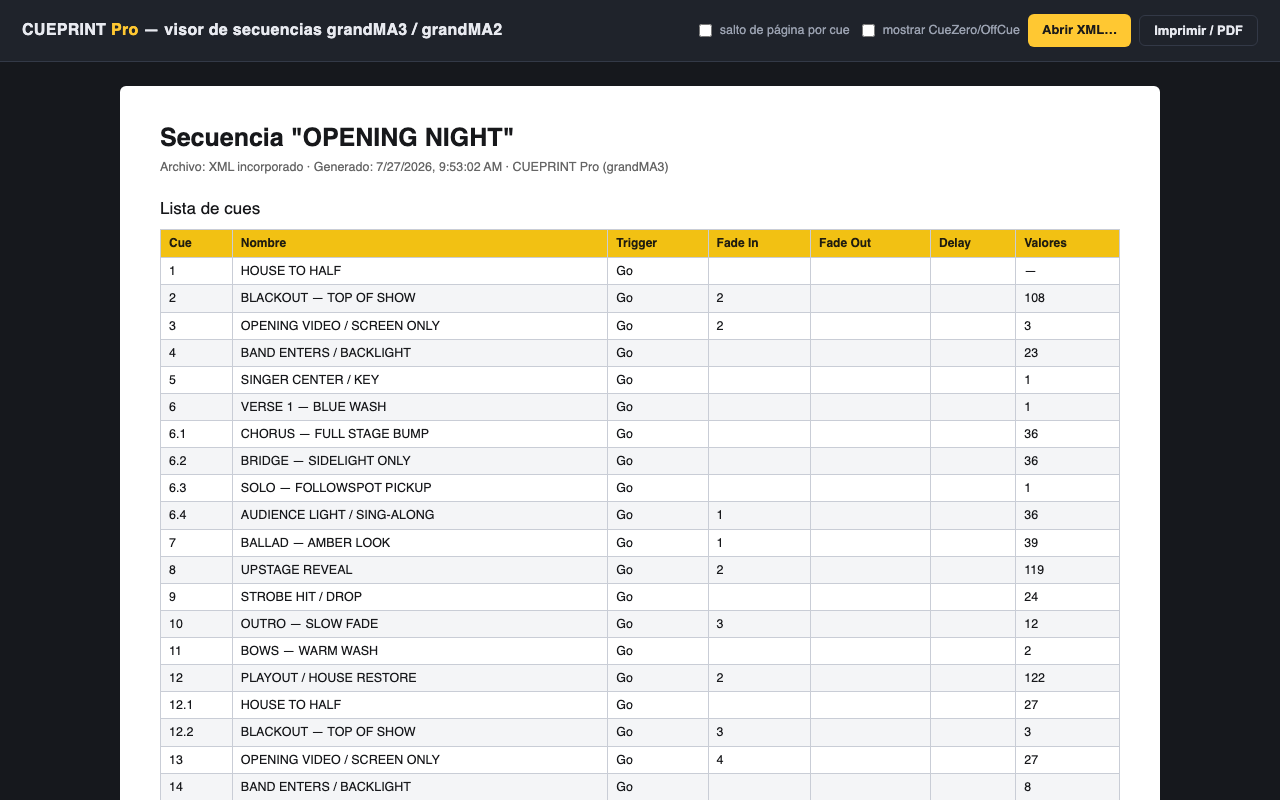
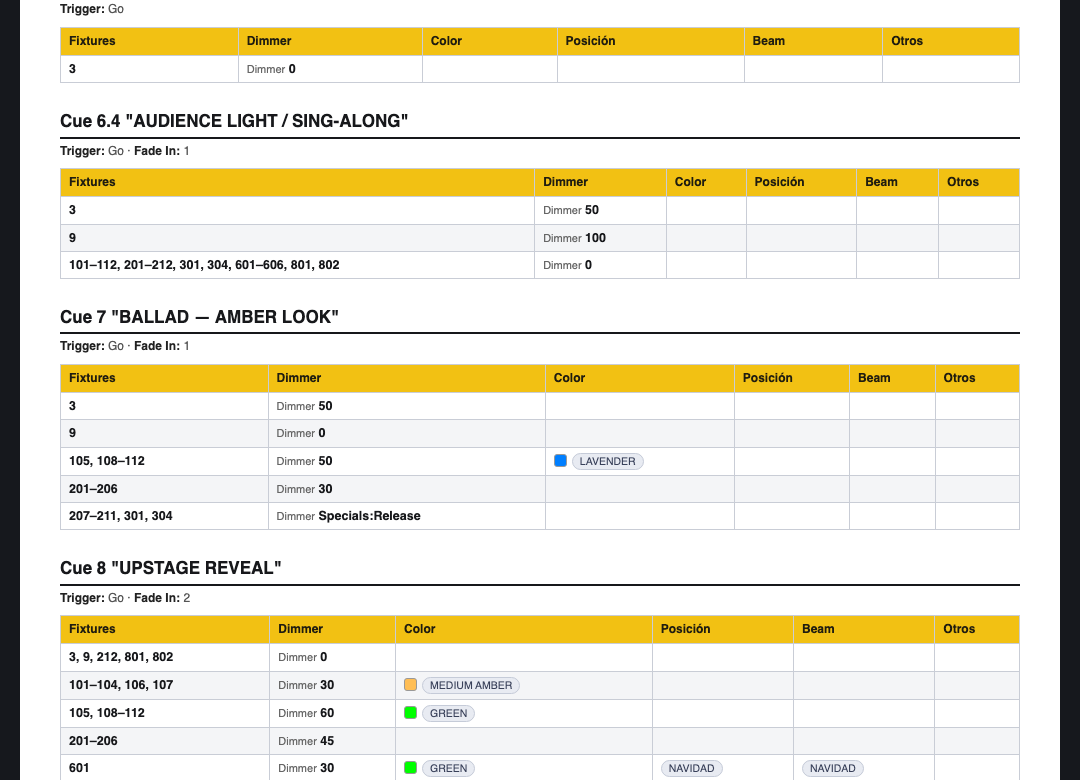
CUEPRINT is a Lua plugin that runs inside the console. It walks your sequence — cues, parts, names, trigger types, timings, commands — and writes a tidy CSV your stage manager, followspot operators and production office can actually use. No laptop capture, no retyping, no screenshots of the sequence sheet.

export_dialog.png — column picker
export_run.gif — 42 cues in 0.4s

↑ drop real captures into /public/screenshots/ and pass src to ScreenshotFrame

Features

Lite

$2.99 once

The essentials. Current sequence out to CSV with the core columns.

  • grandMA3 support (2.x)
  • Export the selected sequence
  • Core columns: cue, name, trigger, fade, delay
  • CSV output to console drive or USB stick
  • Free minor updates (1.x)

Pro

$4.99 once

The whole paperwork department. Every sequence, every column, MA2 too.

  • Everything in Lite
  • MA2 support (3.9+) alongside MA3
  • Batch-export every sequence in the show file
  • Part cues, CMD column, note & scribble fields
  • Column picker — build your own sheet layout
  • Followspot-call preset (cue / target / pickup)
  • Free minor updates (1.x) + priority email support

Compatibility

Will it run on your rig?

Platform Versions Lite Pro Note
grandMA3 software v2.0 – v2.3
grandMA3 onPC v2.0 – v2.3
MA2 / MA2 onPC v3.9+ Separate .xml plugin in the same download
MA3 mode on MA2 hardware Not supported

Version-by-version details live in the troubleshooting guide; release history in the changelog.

Buy

Lite vs Pro, line by line.

Feature
Lite
$2.99
Pro
$4.99
grandMA3 (v2.x)
MA2 / MA2 onPC (v3.9+)
Export selected sequence
Batch-export all sequences
Core columns (cue, name, trig, fade, delay)
Part cues as rows
CMD, note & scribble columns
Column picker (custom sheet layout)
Followspot-call preset
Free 1.x updates
Support Email Priority email
One-time purchase · 14-day refunds Buy Lite Buy Pro

FAQ

Before you ask over comms.

Where do I install it?

Copy the .lua (and .xml on MA2) into gma3_library/datapools/plugins/ on a USB stick or the console drive, then import it into the Plugin pool. The install guide walks through it click by click.

How is it delivered?

Instantly, by email. LemonSqueezy sends you a download link for the plugin .zip and your license key the moment checkout completes. You can re-download any time from the link in that email.

What is the license key for?

It is your proof of purchase, used for support and upgrade verification. The plugin never phones home — MA Lua is sandboxed and has no network access — so there is nothing to activate and it works on machines with no internet.

How many consoles can I use it on?

The license is per person, not per desk. Install it on your consoles, your onPC rig and your backup — as long as it is you operating, you are covered.

Do I get updates?

All 1.x updates are free for both tiers. When an update ships, you re-download from your original LemonSqueezy link and replace the plugin file. The changelog lists every release.

What is the refund policy?

14 days, no questions asked. If it does not work with your workflow, reply to your receipt email and you get your money back. See the refund policy page for details.

Install path, import steps and the full CSV column reference are in the docs.